Advanced SchedulingCPM + constraints
Microsoft Project Online is end of life: MS Project Online retires September 30, 2026. Seamlessly migrate your .mpp portfolios to ProjectLibre Cloud.Learn Migration Path
Project Online retires September 30, 2026. Microsoft Project Desktop remains desktop software—not true SaaS. ProjectLibre Cloud is the natural migration path for teams that want to keep professional project management and move forward.
 No credit card required
 7-day free trial
 Cancel anytime
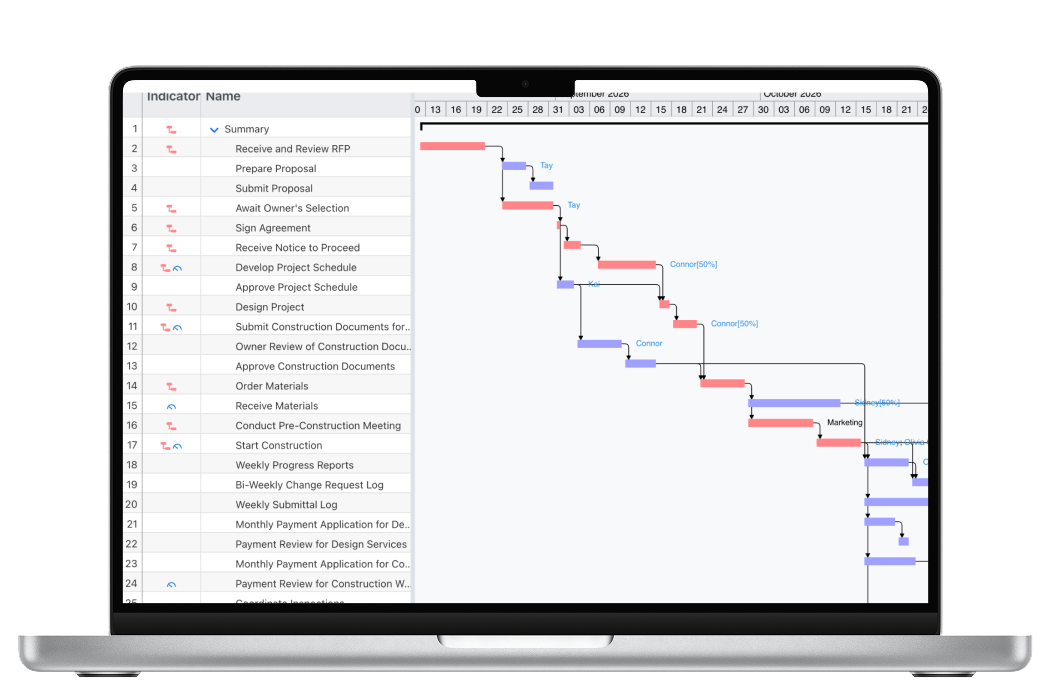 Advanced SchedulingCPM + constraints
 Resource ManagementEnterprise + Leveling
 Monte Carlo + DCMARisk + quality
 Performance + CostSPI · CPI · TCPI
Microsoft Project Online retires September 30, 2026. Waiting turns a planned migration into a deadline-driven one.

Microsoft Project Desktop is powerful scheduling software, but it remains desktop software—without native, simultaneous cloud schedule collaboration.
Monday.com and Asana are strong for work coordination. Teams often outgrow them when projects require deeper scheduling logic, resource optimization, performance controls, and quantified schedule risk.
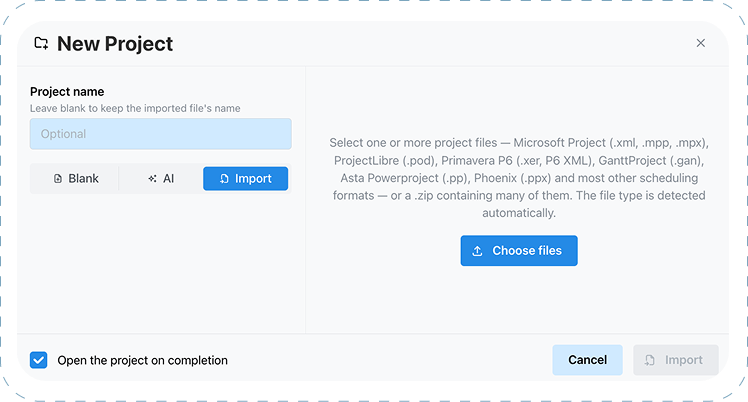
Select Microsoft Project files and let ProjectLibre detect the format automatically.
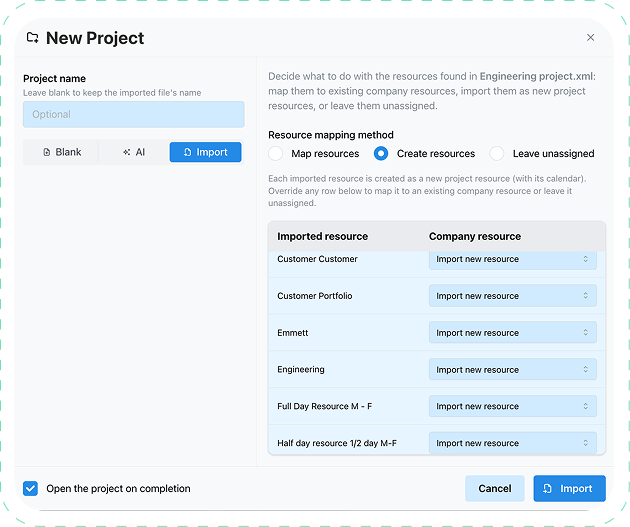
Map imported resources to company resources, create new project resources, or leave them unassigned.
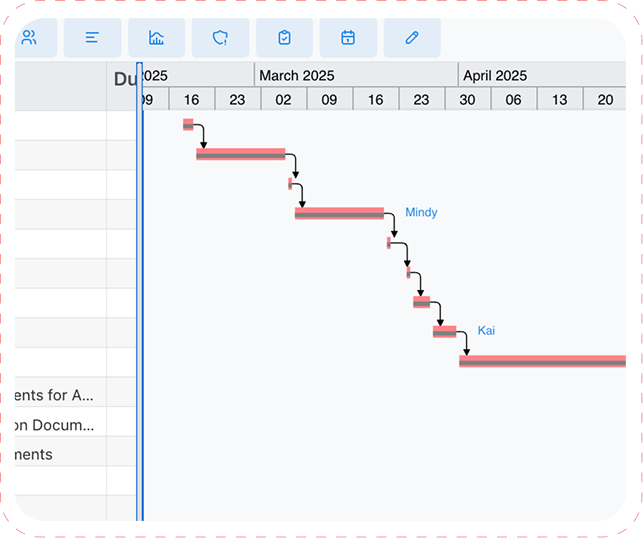
Continue with the tasks, durations, dependencies, resources, and scheduling structure in ProjectLibre Cloud.
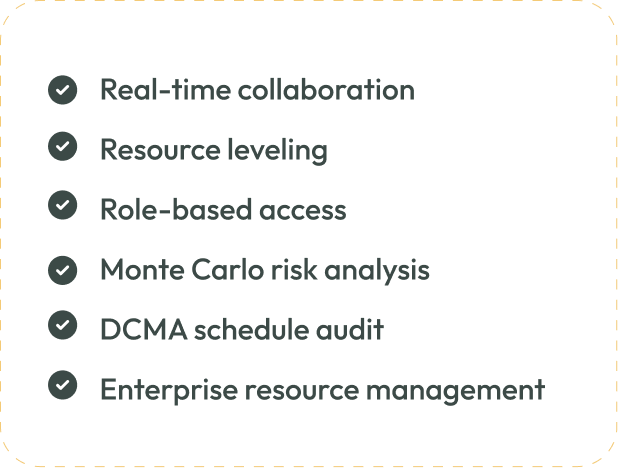
The migration is only the beginning. Add cloud collaboration and professional controls that go beyond a desktop schedule.
The reason to migrate is not simply to replace Microsoft Project. It is to keep professional PM capability while gaining a modern collaborative SaaS platform.

The detailed matrix keeps the nuance: some work-management capabilities are present, but they are not equivalent to a professional project-management engine.
 Project LibreCloud+Ai
 MS ProjectDesktop
 Microsoft Project OnlineCloud (Legacy Saas)
 Work OsWork OS
 Work ManagementWork Management
Asana and monday.com are capable work-management platforms. They support collaboration, Gantt/timeline views, dependencies, AI, and workload features. The gap appears when the project itself needs a professional scheduling, resource, performance, and risk engine.
Great for work coordination ≠ full professional project management
The difference is not whether a tool can draw a Gantt chart. It is what the engine can calculate, constrain, optimize, audit, and forecast.

Strong for teamwork and coordination. More limited when the schedule becomes a contractual or resource-driven model.
Useful for coordinating tasks and communicating status.
Available in varying depth and plan levels.
Not the same scheduling model as a dedicated professional PM engine.
No equivalent professional constraint model for rules such as Must Finish On / Must Start On.
Workload visibility is not automated resource leveling across a CPM schedule.
No native Monte Carlo schedule risk, DCMA schedule audit, or full SPI/CPI/TCPI project controls.
Built to model the project—not just organize the work around it.
Professional scheduling calculations work from one connected project model.
Model contractual and operational rules such as Must Finish On and Must Start On.
Resolve resource conflicts against real schedule logic and availability.
Use Earned Value, SPI, CPI and TCPI to understand execution—not just completion status.
Audit schedule quality with DCMA criteria and model uncertainty with Monte Carlo simulation.
Real-time team collaboration without giving up the project-management engine.

“Must this task finish on the contractual date?”

“Can the schedule still finish if these resources are overallocated?”

“What is the probability we will actually finish by the contract date?”
The end of Project Online is not just a replacement decision. It is a chance to move professional project management to a true SaaS environment without falling back to limited work management.

Preserve schedules, resources, logic and history.

Move from desktop-centric work to browser-based teamwork.

Add resource optimization, risk analysis, audit, AI and performance controls.
Bring scheduling, resources, analytics, cost, collaboration, and AI together in one professional SaaS platform.