Microsoft Project Online is end of life: MS Project Online retires September 30, 2026. Seamlessly migrate your .mpp portfolios to ProjectLibre Cloud.Learn Migration Path

Preserve the Microsoft Project schedules your organization already depends on — then move beyond the old Project Online + Microsoft Project Desktop model into one complete cloud platform for professional scheduling, resources, costs, Earned Value, portfolios, collaboration and AI.
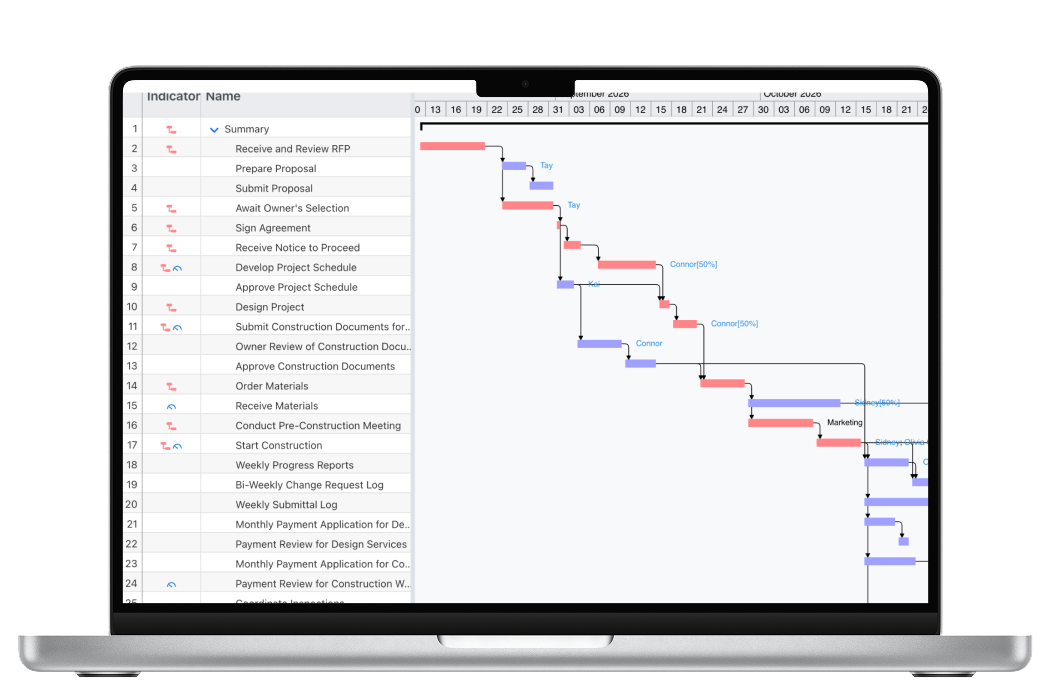
Microsoft Project Online officially retires September 30, 2026. For CIOs, PMOs and professional project managers, this is much bigger than replacing an end-of-life application. It is a chance to finally move the full professional project-management environment into the cloud.
For years, Microsoft customers often used two products together: Project Online for the web-based environment and Microsoft Project Desktop when the schedule required deeper planning, calendars, constraints, resource controls or analysis.
ProjectLibre changes that architecture.
Web-based project and portfolio environment. Retires September 30, 2026.
Detailed planning and professional scheduling depth — but still a desktop application.
Professional scheduling + enterprise resources + portfolios + performance + collaboration + AI in one browser-based platform.
ProjectLibre Cloud does not simply replace Project Online. It removes the old boundary between the cloud service and the desktop scheduling client.
That is the key migration story: the advanced project manager no longer has to leave the cloud when the schedule becomes serious.
Four connected control systems working against the same professional project model.
An .MPP file represents years of planning decisions and organizational knowledge. Rebuilding that project as a simplified list of tasks is not a migration.
ProjectLibre Cloud is designed to open existing Microsoft Project files and preserve the professional structure teams already rely on.
Open the existing Microsoft Project schedule instead of recreating it.
Keep tasks, dependencies, resources, calendars, constraints, baselines and schedule logic.
Map resources into the shared enterprise environment and give teams access.
Add portfolio control, collaboration, advanced analytics and AI.
Microsoft Planner Premium has become more capable. It includes useful project-oriented features such as timeline/Gantt views, dependencies, critical path, baselines, calendars and workload views.
The distinction is therefore not “Planner has no project features.” The more important question is whether a Planner migration replaces the professional scheduling, resource, cost and performance depth that organizations historically relied on Microsoft Project Desktop to provide.
Strong for work coordination and increasingly capable project planning.
Built to model and control the professional project — not just organize the work around it.
| Professional PM Capability | Planner Premium | Microsoft Project Desktop | ProjectLibre Cloud |
|---|---|---|---|
| Gantt / Timeline | Yes | Yes | Yes |
| Dependencies & Critical Path | Yes | Yes | Yes |
| Professional Constraints & Float | Less depth than a traditional professional scheduler | Yes | Yes — fully in browser |
| Detailed Resource & Cost Controls | Workload-focused | Yes | Yes — fully in browser |
| Earned Value / SPI / CPI / TCPI | Not the core Planner model | Professional EVM | Yes — SPI, CPI, TCPI |
| Enterprise Cross-Project Resources | Different workload model | Desktop-centric | Centralized enterprise pool |
| Real-Time Co-Editing | Yes | No | Yes |
| Full Professional PM in Browser | Work-management / planning orientation | Desktop application | Yes |
The professional PM engine is the foundation. On top of it, ProjectLibre Cloud adds capabilities that were not native strengths of the old Project Online environment.
Resolve schedule conflicts against actual resource availability at both project and portfolio level — not just identify workload problems.
Understand the probability of achieving key dates instead of relying only on one deterministic finish date.
Evaluate whether the underlying schedule is structurally credible using recognized schedule-quality criteria.
These capabilities matter, but they are additional differentiators. The bigger ProjectLibre advantage is that the entire professional scheduling, resource, cost, performance and portfolio environment is already in the cloud.
Microsoft Project Online retires September 30, 2026. Organizations should have a migration strategy for schedules, resources, portfolio processes and project controls before retirement.
Yes. ProjectLibre Cloud is designed to open Microsoft Project .MPP files and preserve the professional project model rather than requiring teams to rebuild projects as task lists.
No. Professional scheduling, resources, costs, Earned Value, portfolio management, collaboration and advanced analysis operate directly in ProjectLibre Cloud.
Because it combines Microsoft Project-class scheduling depth with enterprise resource management, portfolios, performance controls, real-time collaboration, advanced analytics and AI in one browser-based SaaS environment.
Open the Microsoft Project schedules you already have, preserve the real project model, and move the complete professional PM environment into the cloud.